Your second brain for AI chats.
Save prompts, capture conversations, annotate screenshots, and automate your notebooks — across ChatGPT, Claude, Gemini, Perplexity, Copilot, DeepSeek, Mistral, Grok & NotebookLM, all synced to your Google account.
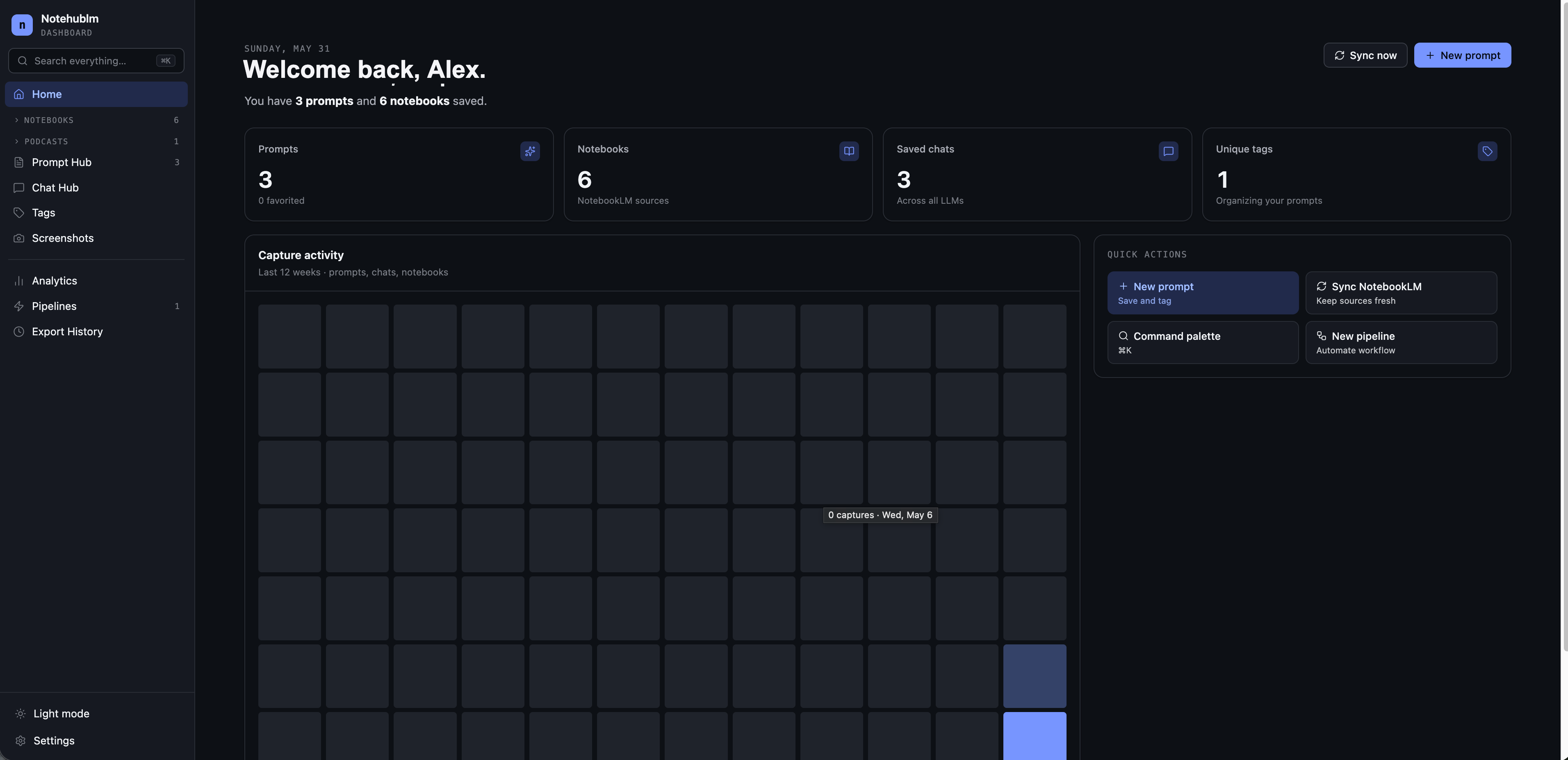
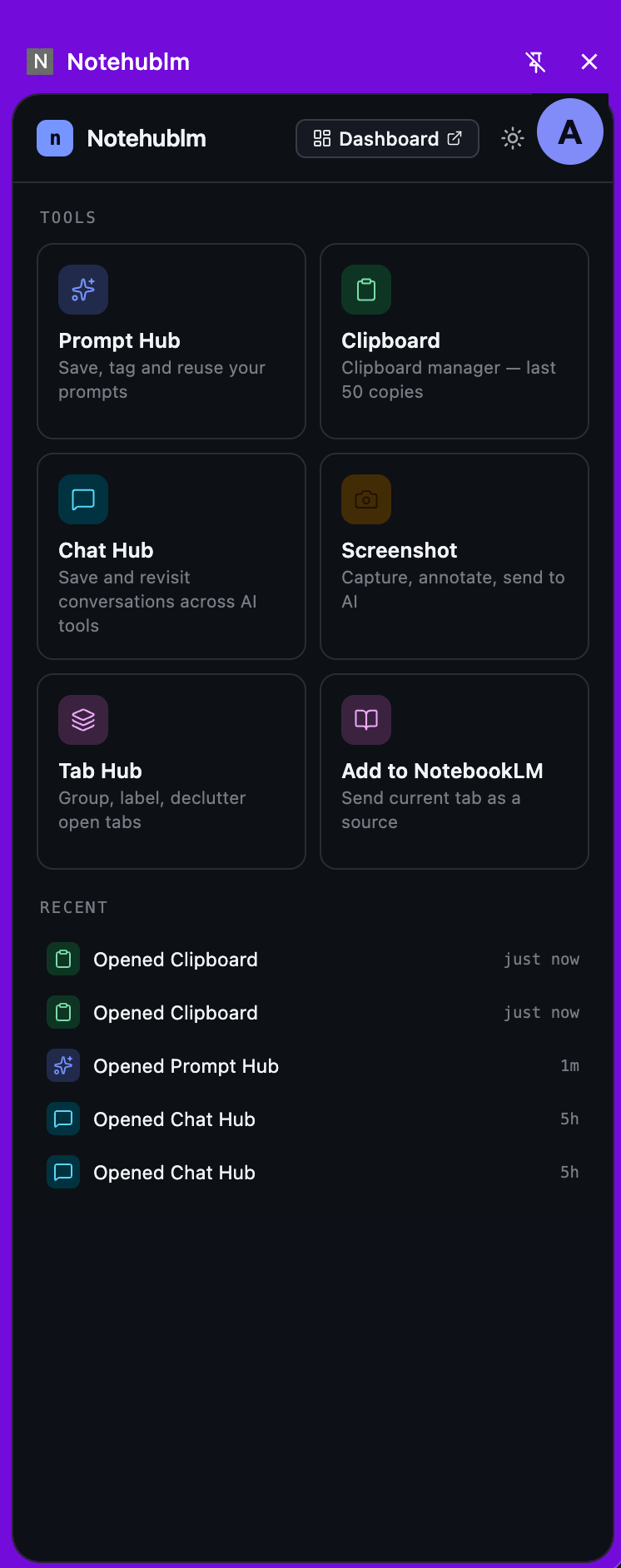
A sidebar for capture.
A dashboard for everything else.
Notehublm rides along with every tab as a side panel, then gives you a full command center to manage what you've saved — outside Google's own UI.
Capture without leaving the page
Prompt Hub, Chat History, Clipboard, Screenshot, Tab Manager and one-click "Add to NotebookLM" — all in a panel docked beside any chat.
A command center for your knowledge
Notebooks, sources, artifacts, audio, pipelines and analytics — searchable, filterable, and synced across every device you sign in on.
Everything you need, one click away
The capture toolkit that follows you across every AI tab.
Prompt Hub
Organize prompts in tagged, searchable folders. Star favourites, duplicate variants, and send straight into any chat input.
Chat History
Save entire conversations with one click. Search, filter by platform, re-sync new messages, and jump back to the original chat.
Clipboard Monitor
Everything you copy while browsing, captured into a timestamped history. Promote anything useful into a reusable snippet.
Screenshot Capture
Grab the visible area, full page, a selection, or a DOM element. Annotate with text, shapes and drawing, then export as PNG.
Tab Manager
See every open tab in the sidebar and turn any URL into a NotebookLM source. Bulk-add tabs to spin up a notebook in seconds.
Add to NotebookLM
Send the current page straight into any notebook as a source — pick the notebook, hit add, and keep reading.
Run NotebookLM like a power user
Browse, automate, and act on every notebook from one dashboard — no tab juggling.
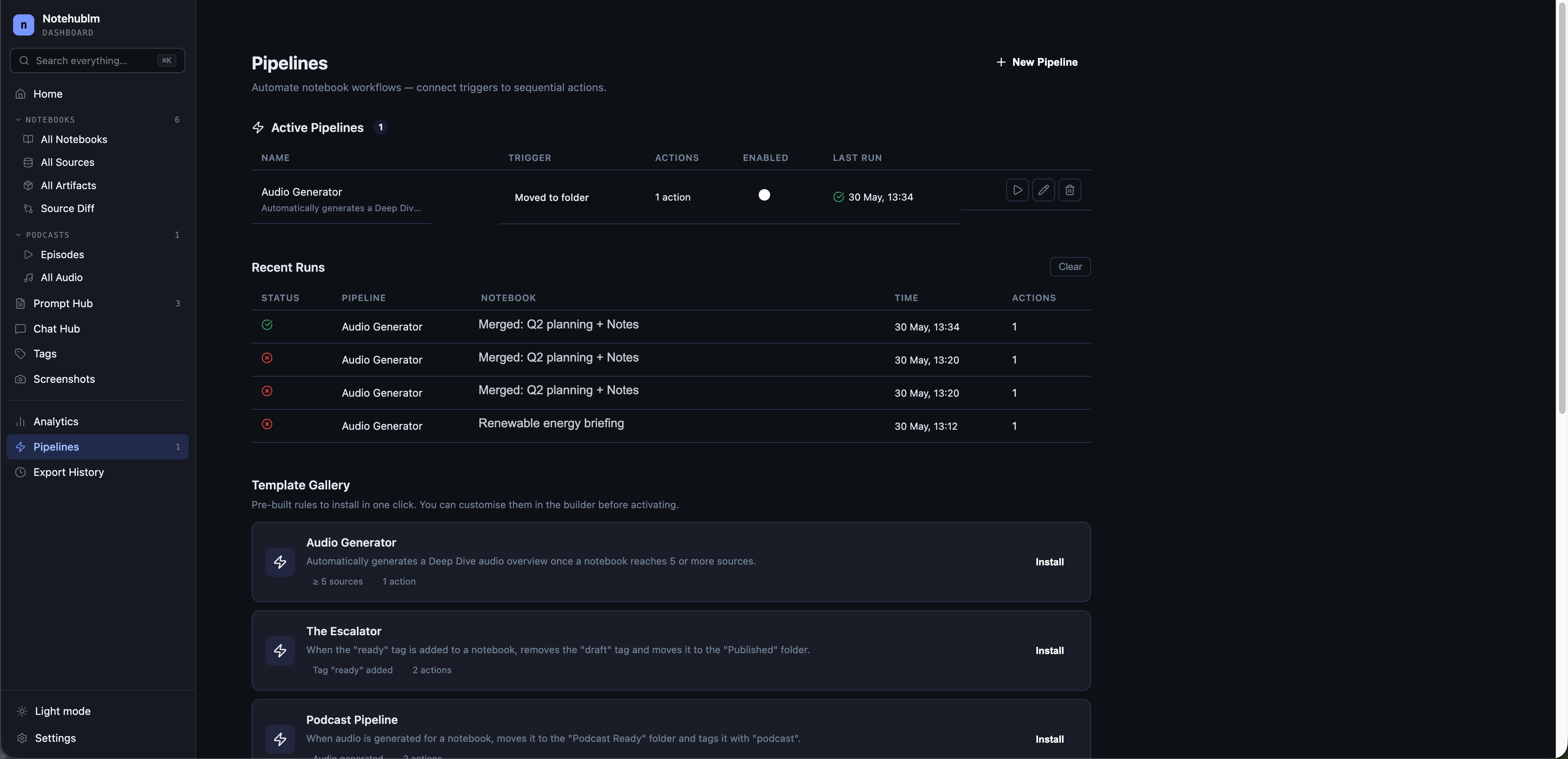
Triggers in, actions out
Build trigger-action rules that handle the boring parts: auto-tag, move to folder, generate audio, archive, or add sources when conditions hit. Start from templates and watch a full run history.
Podcasts from your sources
Generate Deep Dive, Brief, Critique or Debate episodes in 12 languages, then download for offline listening.
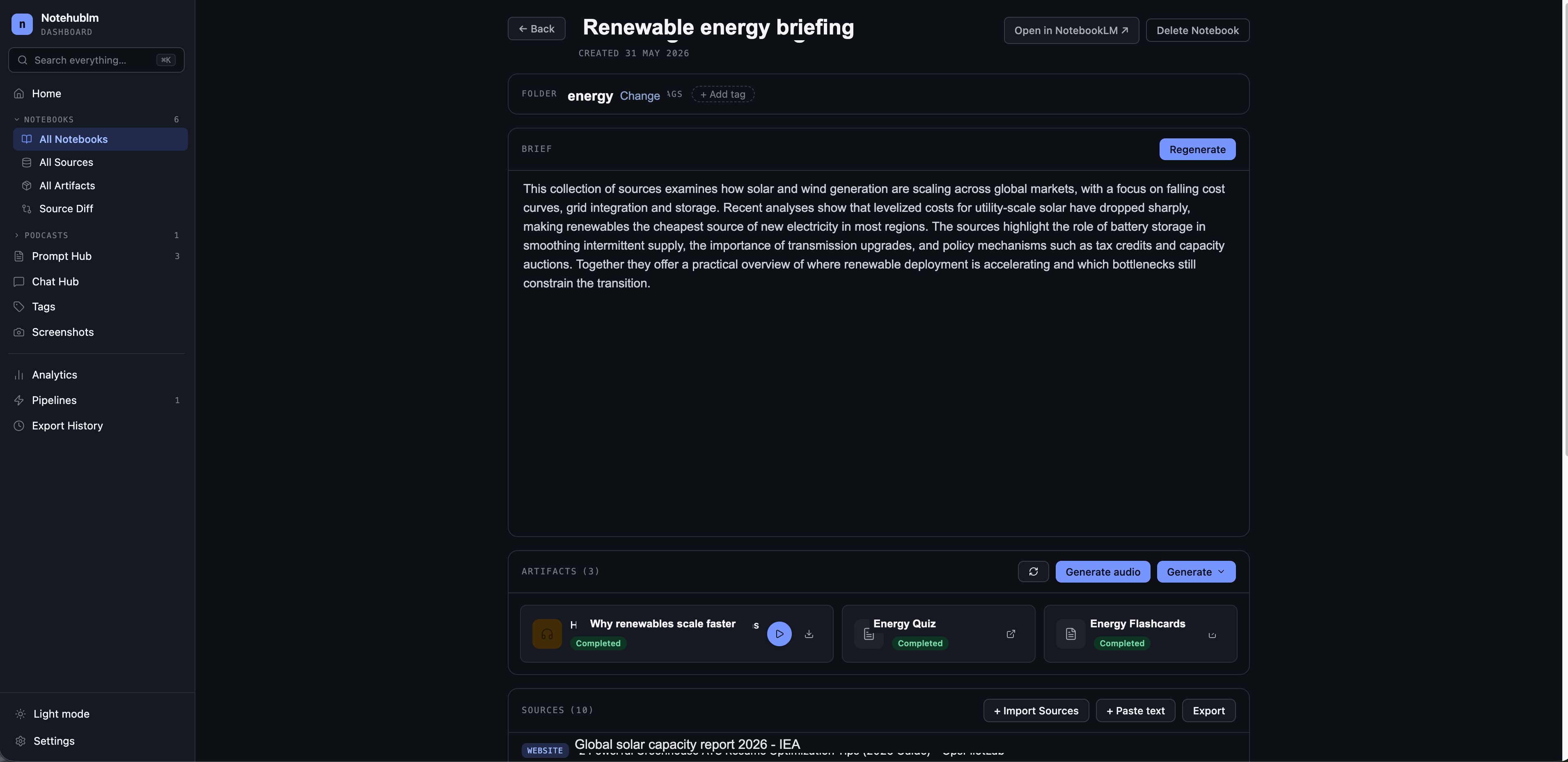
Every notebook, one place
Browse, search and manage all your notebooks — add sources and sync metadata without opening Google's UI.
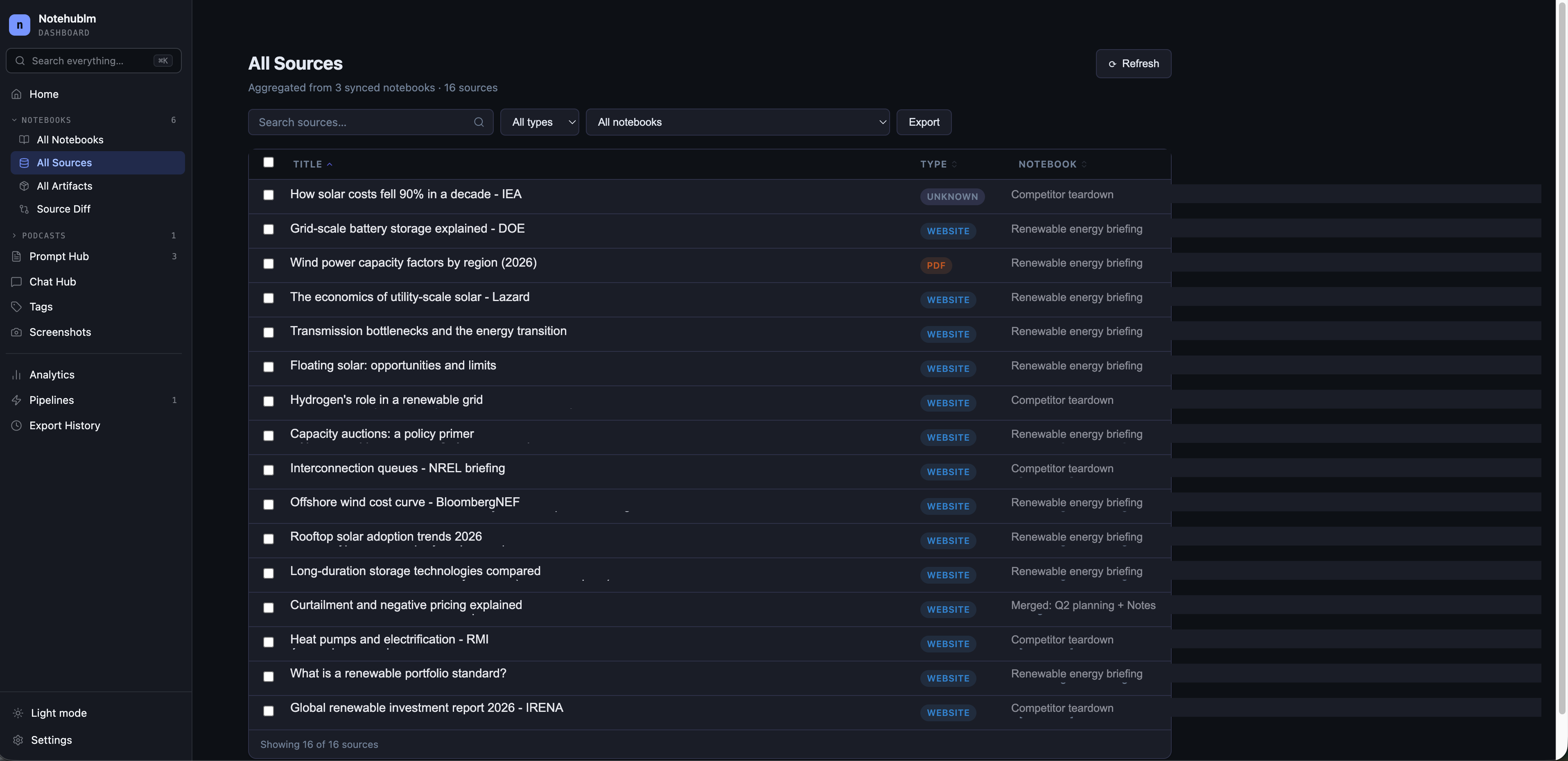
One table for every source
Search, filter, sort and bulk-import from CSV, RSS or open tabs. Validate URLs and move sources safely.
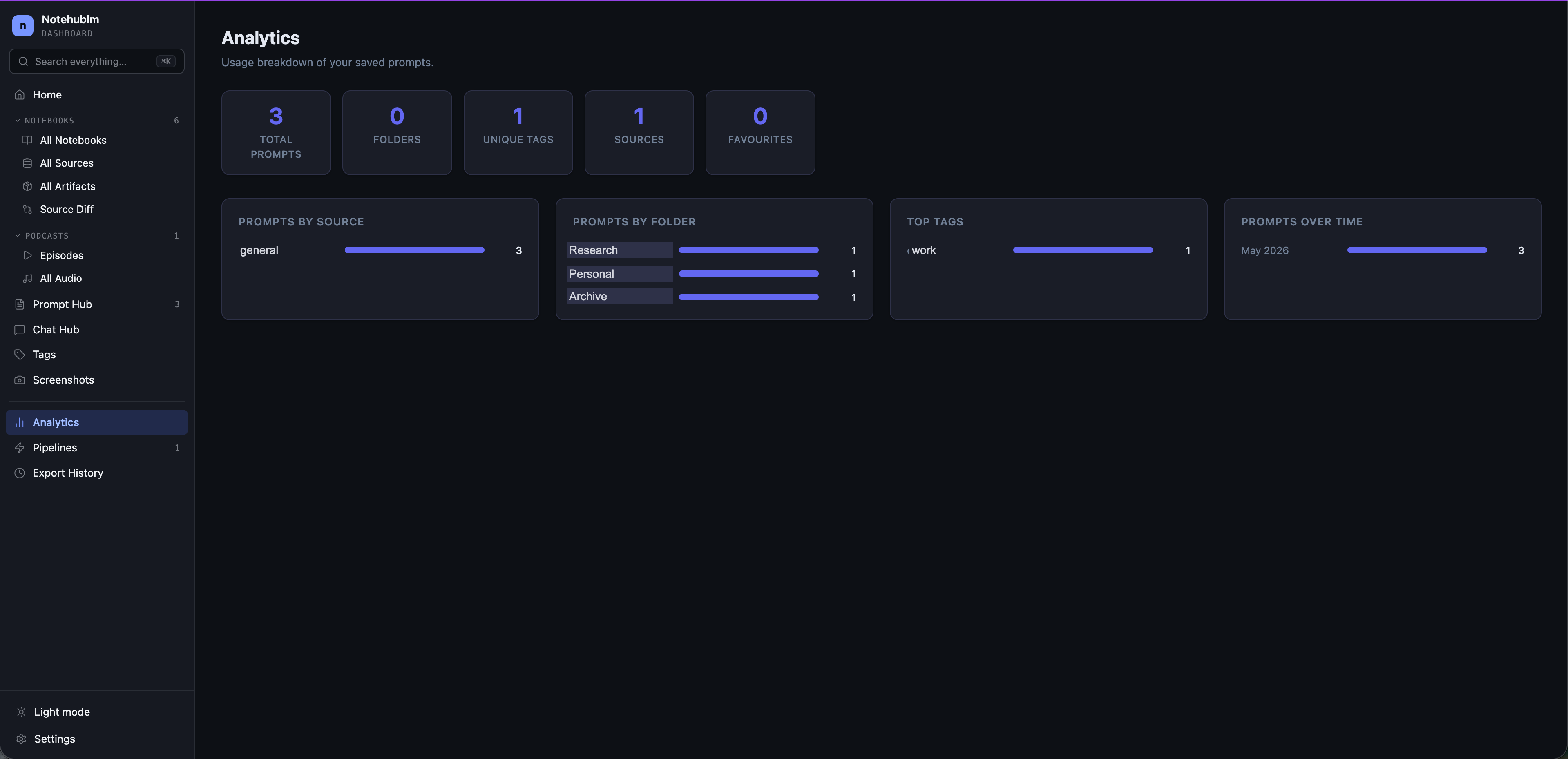
See what's thriving
Track notebook growth, source counts, artifact generation and sync health over time.
All your generated artifacts, gathered
Audio, video and slide artifacts collected in one filterable gallery — quick playback, download and metadata at a glance, no digging through individual notebooks.
Compare any two notebooks
See which sources two notebooks share and where they differ — matched by URL, falling back to title — before you merge.
The fundamentals, handled
Universal LLM support
Switch between nine models freely without losing your prompts, snippets or saved threads — capture works the same everywhere.
Google Drive sync
Prompts, notebooks, snippets and pipelines back up to a private Drive app folder. Sign in once; pick up on any device.
Export, dark mode & ⌘K
Export to Markdown, PDF, Docs or text. A polished light/dark theme and a Cmd+K command palette keep you on the keyboard.
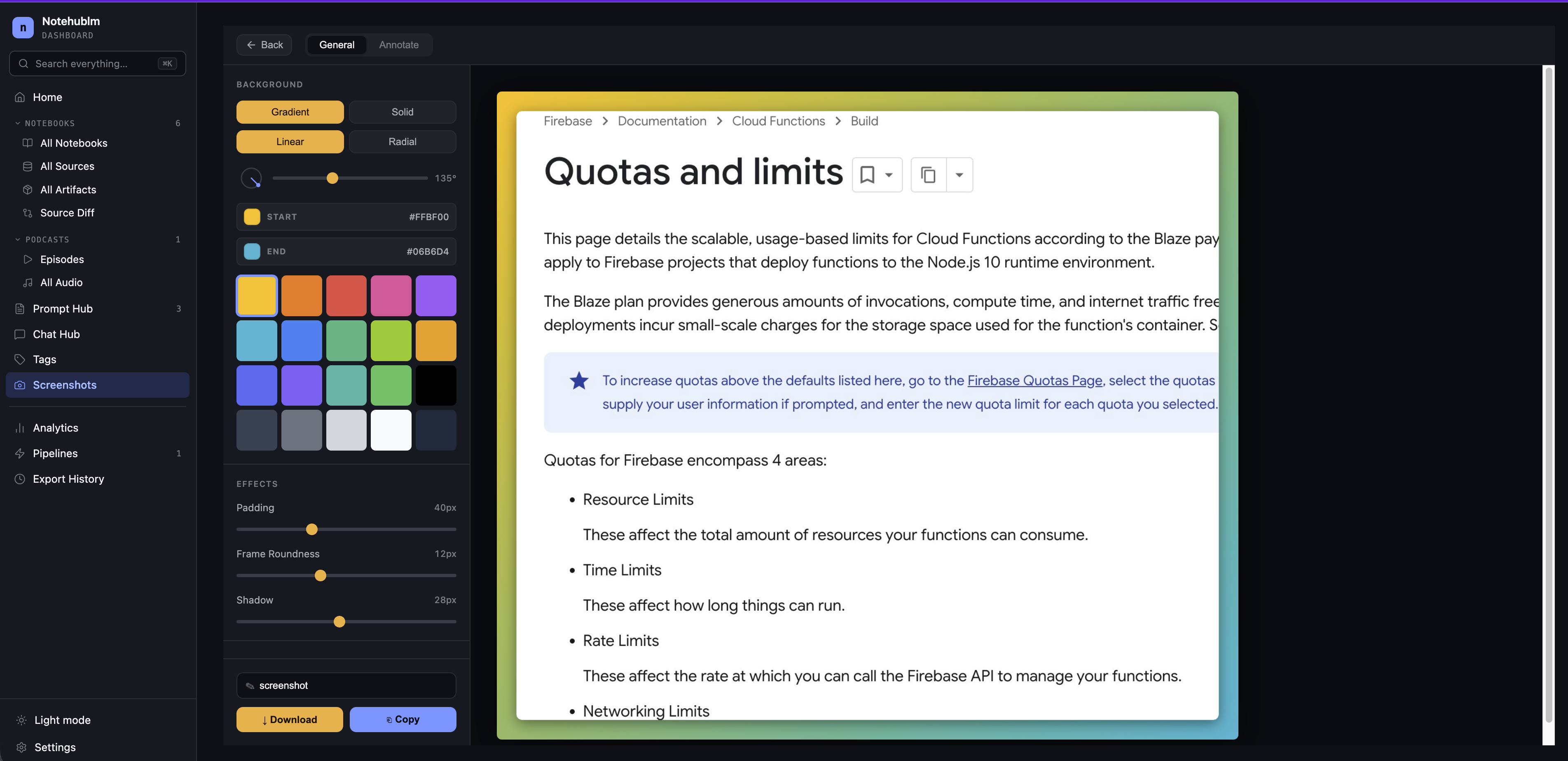
Capture, annotate, make it shine
Drop any capture onto a gradient backdrop, tune padding, roundness and shadow, then annotate and export — built right into the dashboard.
Start free. Upgrade when you scale.
Every capture tool is free. Pro lifts the daily limits and unlocks unlimited automation.
Free
- All side-panel tools
- All 9 platforms supported
- Daily limits on chats & notebook syncs
- 1 automation pipeline
- Google Drive sync
Pro
Unlimited- Everything in Free
- Unlimited chat history
- Unlimited notebook syncs
- Unlimited automation pipelines
- Priority support
- 2 months free vs monthly
- Early access to new features